
AI for Manufacturing: Run Daily Factory Work in Optiwise
Use Optiwise AI to answer order and stock questions, make entries and support supplier decisions inside one connected manufacturing system.

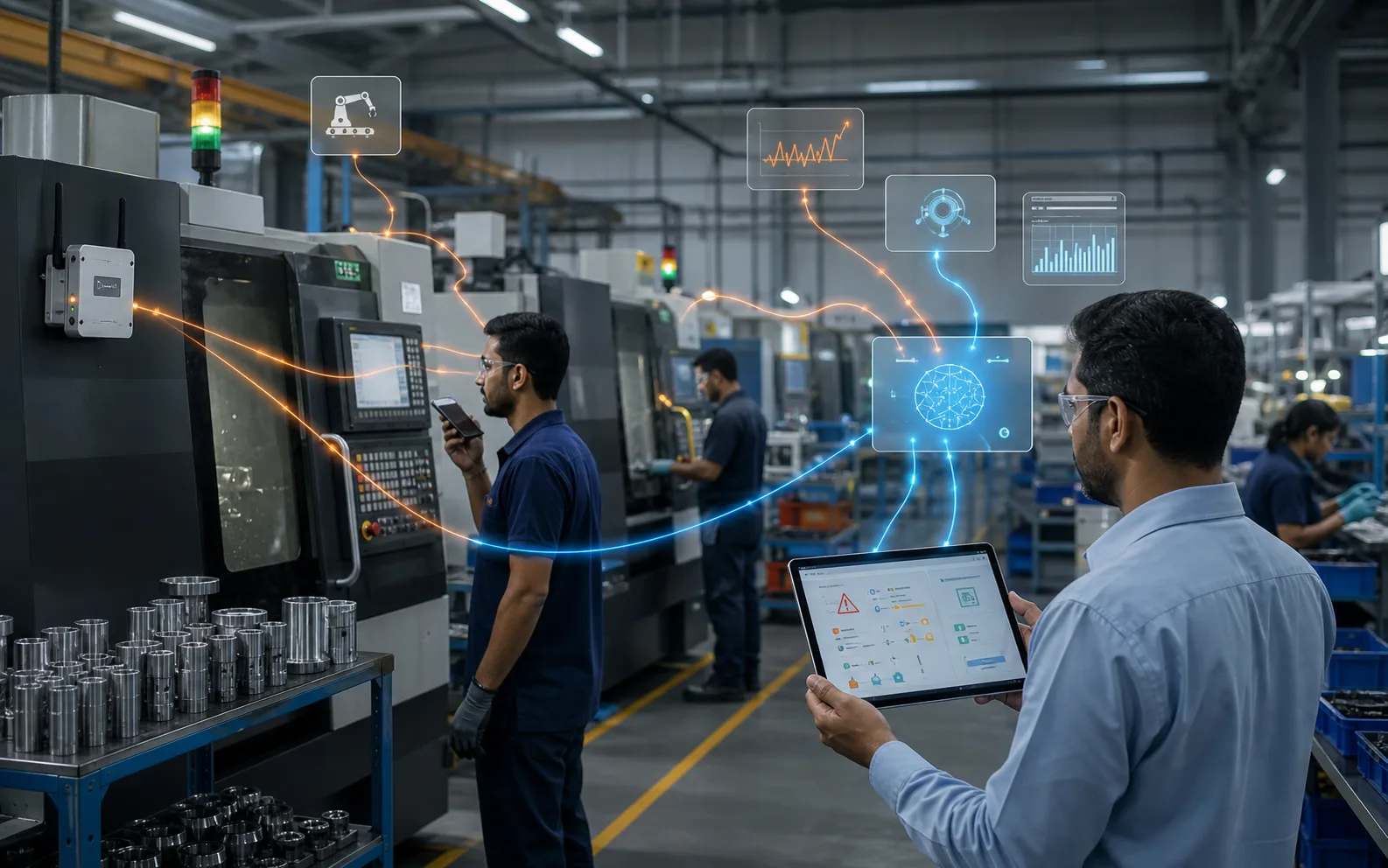
Factory illustration.
Optiwise brings AI into the work of running your factory. Ask about an order, check stock or supplier history, and make entries in the same system your sales, purchase, production and quality teams use.
We built our AI around connected manufacturing records. When you need to know what is holding up an order, the answer belongs beside the material, job and supplier records that explain it. Your next action stays in Optiwise too.
Ask your factory a question
Which orders are still open? What did we pay this supplier last time? Where is a job waiting? Our AI retrieves information from your business records, so you spend less of the meeting asking people to assemble the picture.
Optiwise routes a request to the relevant agent for purchasing, production, inventory, sales or tasks. Your team uses ordinary language, with multilingual support and access controlled by role. You do not have to know which department's screen holds every answer.
Here is a simple order example. These quantities are illustrative.
| Order | Ordered | Completed | Still open |
|---|---|---|---|
| SO-101 | 100 | 80 | 20 |
| SO-102 | 60 | 60 | 0 |
| SO-103 | 90 | 30 | 60 |
There are 80 pieces still open across SO-101 and SO-103. That gives you a useful starting point. To decide what can ship, you also need the job progress and quality status. Optiwise keeps those parts of the order connected, so you can move from the quantity to the work holding it up.
Turn the conversation into work
Our AI performs actions on business records. For example, a stores user can say “Material has come, stock it in” to start a stock entry. The item, received quantity and receipt details belong in the resulting record, with the user's role permissions still in place.
A delivery that needs inspection follows the quality process before the goods receipt note closes and stock is updated. Recording arrival and accepting material for use are separate steps. Your quality team owns the inspection decision.
This is why AI is useful inside a factory system: the conversation leads into the work your team needs to finish, with the order and material details attached.
Plan materials and choose suppliers with the same information
Our Smart Suggest engine calculates quantities that need action from the bill of materials, demand, stock, existing production and purchase orders. Your planner creates in-house jobs, purchase indents or subcontract service orders from that requirement.
For a purchase, compare vendor quotations with delivery timelines and past performance. Our AI-assisted supplier recommendation considers those factors together. A low unit price is easier to judge when you also see whether the supplier meets the date the job needs.
Suppose material is already at your subcontractor. Follow its service order, issued quantities, returns and inspection in Optiwise before raising another requirement. The purchasing decision should reflect what your factory already has, including material outside your own stores.
Bring machine progress into the picture
Optiwise connects shop-floor entries and industrial internet of things, or IoT, machine data with factory visibility. Operators record production against jobs; IoT devices collect machine and production readings. Dashboards show output, runtime, downtime and utilisation.
When output falls, your supervisor has the job records and machine activity to investigate. Our machine monitoring tools add that view to the production, purchasing and inventory work already in Optiwise.
Keep your factory's process in the system
AI is one part of the wider Optiwise system. Sales follows enquiries, quotations and orders. Purchasing handles supplier decisions and receipts. Production runs jobs and outside processing. Quality records inspection, rejection and rework. Inventory follows the material between them.
Our no-code tools let you add forms, fields and related modules as that work changes. A new inspection requirement or an extra record for a customer stays connected to the process, instead of becoming another file someone must maintain separately.
Start with the work you repeat every day
Choose a recurring job: answering order-status questions, recording receipts or reviewing supplier quotes. Bring its records to your Optiwise demo. We will show the relevant AI agents and the factory workflow around them.
For pricing, include the people, modules and AI actions you want in your rollout. Our ERP plans and add-ons give you the starting scope for that conversation.
Built by manufacturers, for manufacturers, Optiwise combines ERP, shop-floor execution, AI, IoT and no-code tools in one connected system for your core factory operations. Book an Optiwise demo and put your daily factory work on the screen.

Related Posts
Is AI Worth the Investment for My Factory?
Learn how to decide if AI is worth the investment for your factory by evaluating use cases, data readiness, costs, risks, ROI, and operational impact.
13 Jun 2026Read more →Manufacturing AI Mistakes to Avoid Before You Start
List manufacturing AI mistakes and controls for unclear use case, messy data, unsafe automation, no owner, weak security and unreviewed recommendations.
13 Jun 2026Read more →What's the Difference Between AI and Regular Automation?
Understand the difference between AI and regular automation in manufacturing, with practical examples for workflows, decisions, alerts, and predictive operations.
13 Jun 2026Read more →What Are the Risks of Using AI in Manufacturing?
Understand the risks of AI in manufacturing, including bad data, wrong recommendations, safety issues, security, job fear, over-automation, and implementation failure.
13 Jun 2026Read more →